

FileLocksmith-单文件版本

File Locksmith 是用于定位并解除文件/文件夹占用的工具。
项目信息
- 原始项目仓库:https://github.com/microsoft/PowerToys
- 拆分自 PowerToys 0.97.1 的 File Locksmith
- 目标环境:Windows 11 24H2 26100.7623
下载
方式一:下载发布包(推荐)
Releases:https://github.com/RE-TikaRa/FileLocksmith/releases
FileLocksmith Portable version:自带依赖,开箱即用,体积更大FileLocksmith System dependency versions:不带运行库,体积更小,需要系统已安装依赖- 依赖:Windows App SDK Runtime、VC++ 运行库、WebView2 Runtime
方式二:获取源码
用于自行构建或二次开发:
1 | git clone https://github.com/RE-TikaRa/FileLocksmith.git |
界面预览
首页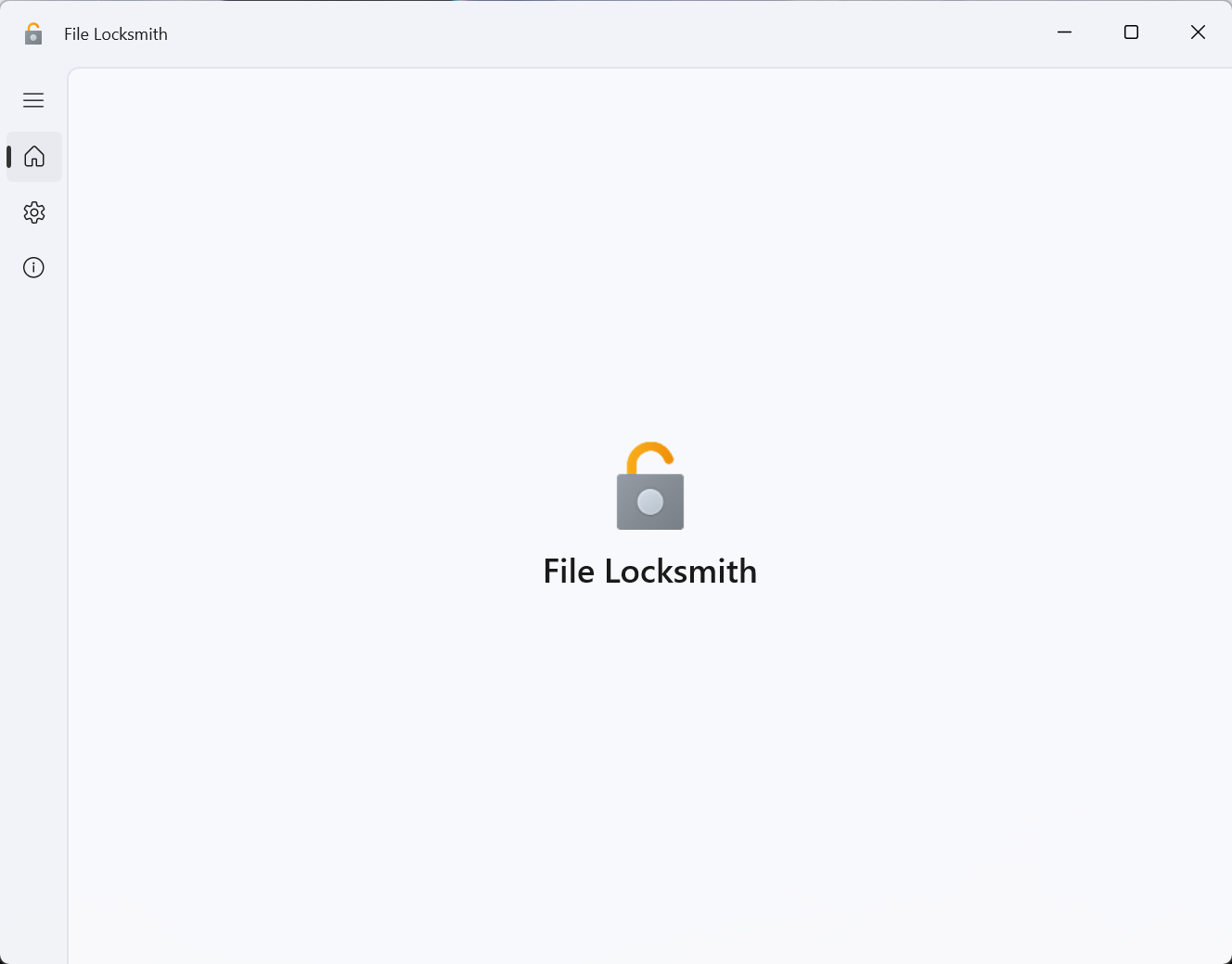
设置页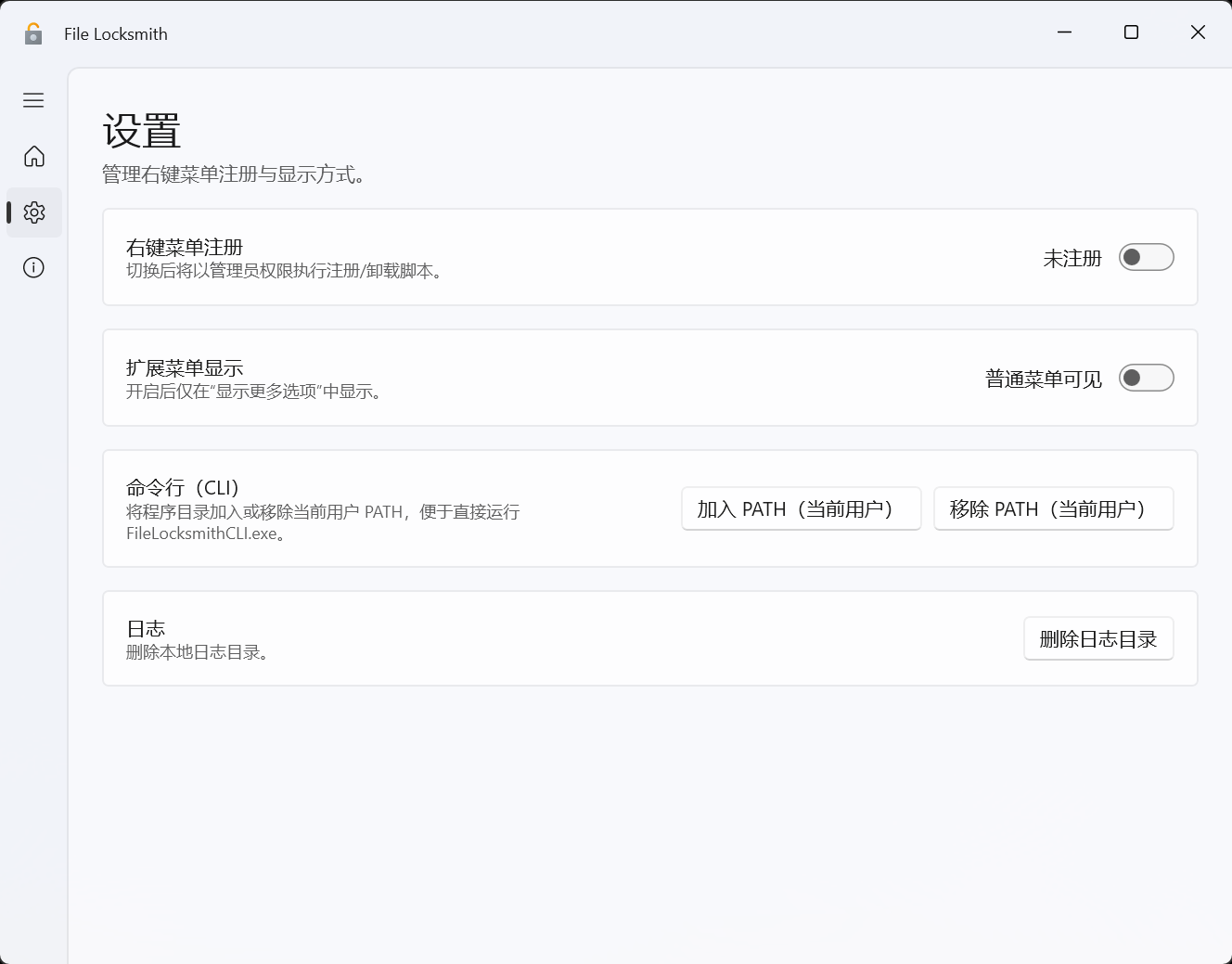
关于页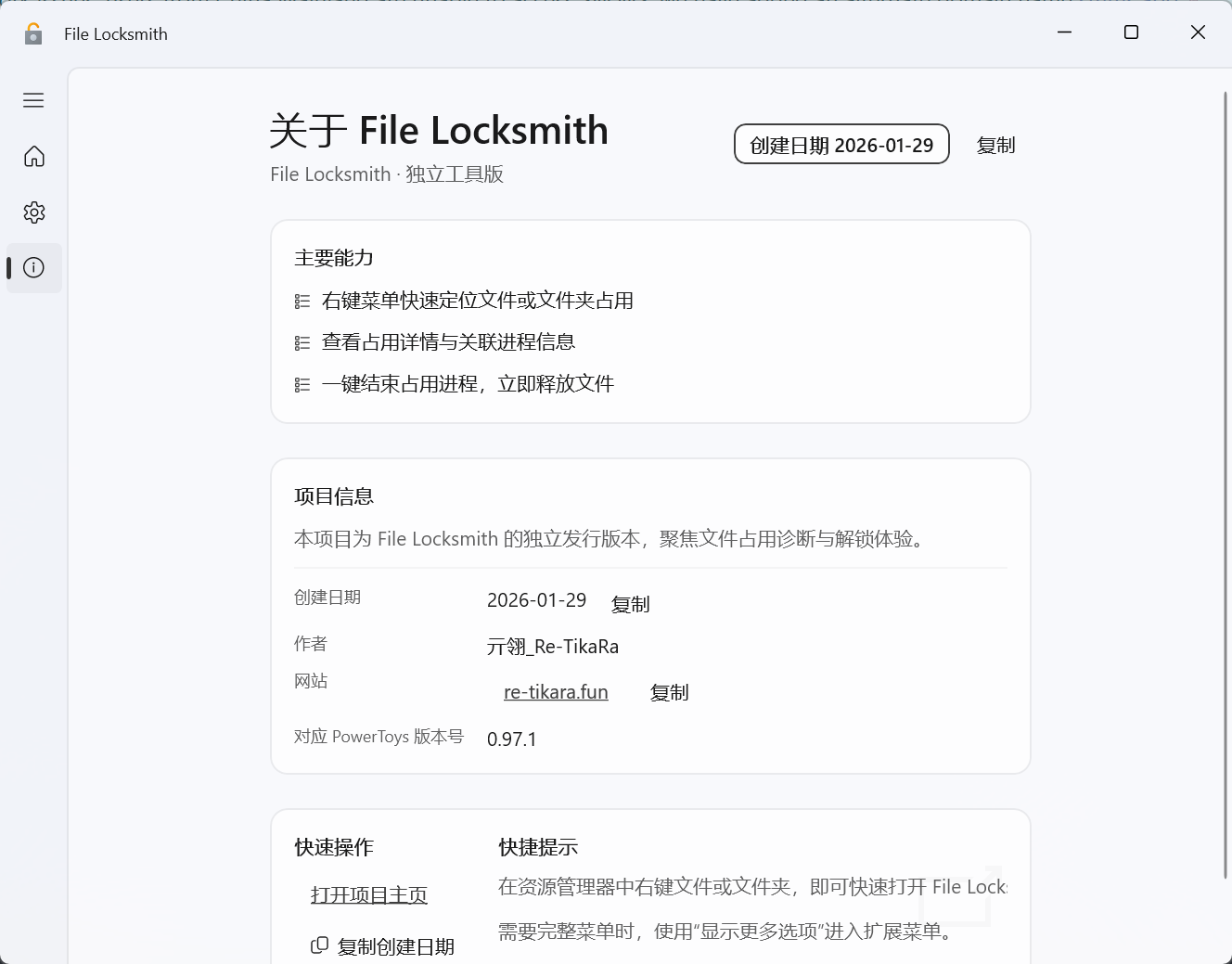
功能概览
- 右键菜单:快速定位占用文件/文件夹的进程并处理
- 扫描界面:展示占用进程、文件列表,可结束进程
- 管理主界面:统一管理注册状态与显示方式
- 支持“仅扩展菜单显示”(Win11“显示更多选项”)
- 支持提升权限完成注册/卸载与系统进程查看
运行方式
- 直接运行:启动管理主界面
- 从右键菜单启动:进入扫描/解锁界面
- CLI:
FileLocksmithCLI.exe
依赖说明
本项目已尽量对关键依赖进行本地化与版本固定,以降低外部环境变化带来的不确定性。
但由于 Windows SDK、运行库与系统环境差异较大,仍可能出现未覆盖的构建或运行问题。
本地化范围主要包含仓库内置的 C++ 依赖(如deps/spdlog、deps/expected-lite)以及明确的 NuGet 版本锁定。
仍需在线还原的依赖以Directory.Packages.props/packages.config为准。
如遇异常,请提交 issue 并附上系统版本、构建日志或崩溃日志,便于定位与完善。
构建环境
- Windows 11 + Visual Studio 2022(Build Tools 或 Professional,含 C++ 工具集与 MSBuild)
- .NET SDK 9(TargetFramework:
net9.0-windows10.0.26100.0) - Windows 11 SDK(WindowsSdkPackageVersion:
10.0.26100.68-preview) - PowerShell 5+(便携包脚本)
核心依赖(NuGet/源码)
- Windows App SDK
1.8.251106002 - C#/WinRT
Microsoft.Windows.CsWinRT 2.2.0 - C++/WinRT
Microsoft.Windows.CppWinRT 2.0.240111.5 - WIL
Microsoft.Windows.ImplementationLibrary 1.0.231216.1 - UI 组件:CommunityToolkit.WinUI.*、WinUIEx
- C++ 依赖(仓库内置):
deps/spdlog、deps/expected-lite
运行时依赖
- Windows App SDK Runtime(便携包内会自带)
- VC++ 运行库(便携包脚本会尝试复制)
- WebView2 Runtime(WinUI WebView2)
配置与数据位置(独立路径)
根目录%LocalAppData%\\ALp_Studio\\FileLocksmith
设置文件file-locksmith-settings.json
Enabled:是否启用showInExtendedContextMenu:仅扩展菜单显示
运行数据last-run.log:上次选择路径列表(UTF-16 + 换行,空行终止)
日志
Logs\\log.log(原生日志)Logs\\Log_YYYY-MM-DD.log(托管日志)不再使用版本子目录,历史的
Logs\\<版本>可删除。
组策略(GPO)
管理员可通过策略强制启用/禁用:
HKLM\\Software\\Policies\\FileLocksmith
Enabled(DWORD):1启用,0禁用
若存在该键值,将覆盖本地设置。
注册表标记(状态)
用于记录右键菜单注册状态(脚本写入):
HKCU\\Software\\FileLocksmith
ContextMenuRegistered(DWORD)
CLI 使用
1 | FileLocksmithCLI.exe [选项] <路径1> [路径2] ... |
结构速览
src/modules/FileLocksmith/FileLocksmithUI- 管理主界面与 WinUI 视图
src/modules/FileLocksmith/FileLocksmithContextMenu- 右键菜单(Win11)
src/modules/FileLocksmith/FileLocksmithExt- 右键菜单(经典)
src/modules/FileLocksmith/FileLocksmithLib- 原生核心逻辑(句柄枚举/扫描)
src/modules/FileLocksmith/FileLocksmithLibInterop- 原生互操作层(WinRT)
src/modules/FileLocksmith/FileLocksmithCLI- 命令行与单元测试
tools/FileLocksmithPortable- 便携版打包脚本
构建与打包
项目使用 WinUI 3 + Windows App SDK(.NET 9 目标)。
输出目录
- UI:
x64/Release/WinUI3Apps - CLI:
x64/Release/FileLocksmithCLI.exe - 便携包(自带依赖):
artifacts/FileLocksmith Portable version/x64/Release - 便携包(系统依赖):
artifacts/FileLocksmith System dependency versions/x64/Release
快捷脚本
- 仅构建 UI:
build_project.bat - 构建 + 便携版打包:
build_and_pack.bat(输出 Portable/System 两个版本)
清理缓存(推荐在重新构建前执行)
- 删除
x64/ - 删除
artifacts/FileLocksmith Portable version/ - 删除
artifacts/FileLocksmith System dependency versions/ - 删除
src/**/bin与src/**/obj - 删除旧版日志子目录
Logs\\<版本>(如果仍存在)
构建 UI(Release x64)
1 | "C:\\Program Files\\Microsoft Visual Studio\\2022\\Professional\\MSBuild\\Current\\Bin\\MSBuild.exe" src/modules/FileLocksmith/FileLocksmithUI/FileLocksmithUI.csproj /restore /p:Configuration=Release /p:Platform=x64 /p:RunAnalyzers=false /p:RunCodeAnalysis=false /p:EnableNETAnalyzers=false /p:EnforceCodeStyleInBuild=false /p:TreatWarningsAsErrors=false |
构建 CLI(Release x64)
1 | "C:\\Program Files\\Microsoft Visual Studio\\2022\\Professional\\MSBuild\\Current\\Bin\\MSBuild.exe" src/modules/FileLocksmith/FileLocksmithCLI/FileLocksmithCLI.vcxproj /p:Configuration=Release /p:Platform=x64 |
构建原生组件(Release x64)
1 | "C:\\Program Files\\Microsoft Visual Studio\\2022\\Professional\\MSBuild\\Current\\Bin\\MSBuild.exe" src/modules/FileLocksmith/FileLocksmithLib/FileLocksmithLib.vcxproj /p:Configuration=Release /p:Platform=x64 |
构建右键菜单组件(Release x64)
1 | "C:\\Program Files\\Microsoft Visual Studio\\2022\\Professional\\MSBuild\\Current\\Bin\\MSBuild.exe" src/modules/FileLocksmith/FileLocksmithContextMenu/FileLocksmithContextMenu.vcxproj /p:Configuration=Release /p:Platform=x64 |
CLI 与原生项目(可选)
- 使用 Visual Studio 2022 打开对应
.vcxproj,选择 x64 构建。
便携包
1 | powershell -ExecutionPolicy Bypass -File tools\\FileLocksmithPortable\\pack.ps1 -Platform x64 -Configuration Release -Mode Portable |
便携版构建/打包常见问题
- 输出目录为空:
pack.ps1依赖x64/Release/WinUI3Apps。请先构建 UI,再打包。 - System 模式找不到 WinUI3Apps.System:请先执行
build_and_pack.bat或用相同参数构建 System 版本 UI。 - 便携版点击关于/设置闪退(MUI 资源缺失):若输出目录缺少
FileLocksmithXAML、Assets或语言目录(如zh-CN),WinUI 资源加载会崩溃。pack.ps1已改为复制WinUI3Apps下所有子目录,若仍异常请重新构建并打包。 - System dependency versions 启动失败:请确认系统已安装 Windows App SDK Runtime、VC++ 运行库与 WebView2 Runtime。
其他文档
tools/FileLocksmithPortable/README.md:便携版打包与使用说明src/common/Telemetry/README.md:Telemetry 采集说明(排查/性能)src/common/CalculatorEngineCommon/README.md:exprtk 封装说明(共享库)deps/spdlog/README.md:第三方日志依赖说明- 同目录下
*.Original.md为上游/历史说明备份(PowerToys 官方说明)
作者与信息
- 创建日期:2026-01-29
- 制作者:亓翎_Re-TikaRa
- 网站:https://re-tikara.fun
许可
本项目遵循 PowerToys 仓库的原始许可,即 MIT 许可,详见仓库根目录 LICENSE。
免责声明
本项目为开源研究与学习用途的软件分支,按“现状”提供,不对适用性、稳定性或特定用途做任何保证。
使用本项目进行文件占用解除、进程终止、右键菜单注册/卸载等操作可能影响系统或数据,请自行确认风险并对操作结果负责。
- 标题: FileLocksmith-单文件版本
- 作者: 亓翎_Re-Tikara
- 创建于 : 2026-01-29 16:10:56
- 更新于 : 2026-02-07 01:59:23
- 链接: https://re-tikara.fun/Blog/posts/5d98e7ac/
- 版权声明: 本文章采用 CC BY-NC-SA 4.0 进行许可。